
Make a little character of your own with Codex
A sleepy mushroom. A pocket robot. A garden spirit who gets distracted by its own leaves. Start with the companion you wish existed.
Get the Codex skill
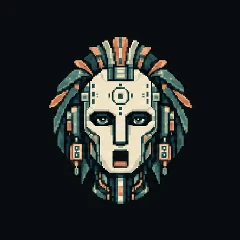
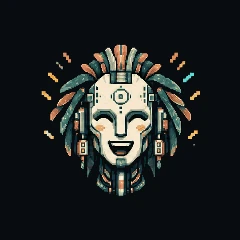
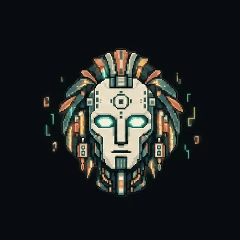
A character starts to feel familiar in the small moments. A blink while it listens. A sideways glance before it answers. A burst of delight that is just a little too big for its tiny body.
The AI Pets Sprite Skill for Codex helps you make those moments. Describe a character, refine its appearance in chat, and build a reviewed set of animations around the face you choose. You get a portable animation pack, a browser preview and the artwork behind it.
Start with a face you love
After installing the skill, open Codex in a folder for your pet and give it a starting idea. Shape, color and a small personality quirk are enough to begin.
Use $sprite-aipets to create a sleepy lavender mushroom with round glasses and tiny moss-green boots. Give it a warm cream background. It is gentle, easily distracted, and very proud of its little garden. Show me its neutral look first.
Then talk it into shape: smaller glasses, a softer smile, a taller mushroom cap. See the face at pet size before you approve it. That chosen look becomes the reference for the rest of the character.
Give it a way of moving
Once the face feels right, ask Codex to finish the required animations, speaking poses, effects, review and package. You can authorize it to complete that work autonomously, or stay involved at each stage.
The workflow adds listening, thinking and touch reactions, plus speaking frames with different mouth openings, blinks and glances. Five personality moments give your pet room to be joyful, goofy, dreamy, sweet and unmistakably itself.
This is where the little details matter. Your mushroom might proudly reveal a sprout, lose track of a floating spore, or tip its cap when it is pleased. A signature trick should feel like something this particular character would do.
Watch it before you call it finished
Codex checks the source frames and the compiled result. The face should stay consistent, the mouth shapes should be readable, and the character should have room to move without clipping against the circular crop.
The browser preview lets you try speech, silence, touch and state changes. You can use a local speech file or microphone input to explore the speaking animation. Preview audio stays local.
Review is part of making the pet. If a blink looks strange or a movement ends awkwardly, refine that part while keeping the expressions you already like.
Take the character with you
Your finished project includes an .aipetframes animation pack, the preview, editable source artwork and the prompts and review records that went into it. The artwork is 240 × 240 pixels, designed for a compatible AI Pets player.
You can create and preview before buying hardware. When you want a physical companion, the AI Pets builder’s guide explains the ESP32-S3 device and connected voice experience. Compatible firmware, pack installation and device enrollment are separate steps.
The skill creates your pet’s face and animations. It does not automatically install a custom character into the Claude mod. For a ready-made companion in a coding session, meet Luna for Claude.
Meet the other AI Pets for inspiration, or open the skill on GitHub and start with the small character that has been living in your imagination.